Does Safari Dark Mode Save Battery iPhone?
One of the most persistent claims about enabling dark mode on mobile devices is that it helps to preserve battery life. But is this actually true, or is it just a digital myth? If you are a heavy browser user trying to determine exactly does Safari dark mode save battery iPhone, the answer is a resounding "Yes"—but with one critical technical caveat: your iPhone must have an OLED screen.
This guide explains the science behind why turning the web black can significantly extend your daily usage time.
Turn on Dark Mode iOS Settings
To understand the battery-saving effects, we first need to distinguish between your iPhone's screen technology. Modern iPhones (iPhone X and newer, excluding the iPhone SE and older LCD models like the iPhone 8) use OLED (Organic Light-Emitting Diode) displays.
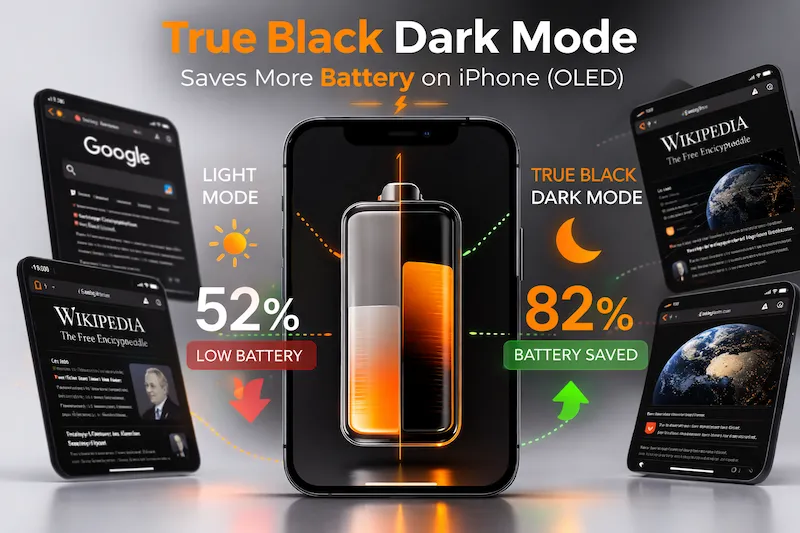
Unlike traditional LCD screens, which use a continuous backlight to illuminate the entire panel, an OLED screen controls every pixel individually. A black pixel in an OLED display is completely turned off and consumes zero power.
| Display Technology | Rendering a White Pixel | Rendering a Black Pixel | Power Draw when Black |
|---|---|---|---|
| Legacy LCD (e.g., iPhone SE/8) | Backlight Active, Liquid Crystal Open | Backlight Active, Liquid Crystal Closed | Moderate (constant) |
| Modern OLED (e.g., iPhone 12/13/14/15/16) | Pixel fully illuminated | Pixel fully turned off | Zero Power |
Force Dark Mode on All Websites Safari
The issue for iPhone users is that simply enabling the system-wide iOS dark mode only changes the Safari browser's interface, not the actual website content. To maximize battery savings, you must use a Safari dark mode extension to force the websites themselves to use black backgrounds.
If you primarily browse information-dense sites like Wikipedia, news outlets, or forums (all typically bright white), your OLED screen is constantly drawing peak power. By using a tool like Noxri to convert those white pixels to true black, you directly reduce the total power consumption of the largest battery drain on your device: the screen.
"Research conducted by Purdue University demonstrated that switching from Light Mode to Dark Mode at 100% brightness can save between 39% and 47% of battery power on OLED smartphones."
Comparison: True Black vs. Gray Dark Themes
It is important to note that only "True Black" or "OLED Black" (hex code #000000) provides maximal battery savings. Dark gray themes common in many "forced dark" extensions still keep the OLED pixels active, although at a lower power draw than white.
| Safari Browsing State (OLED Screen) | OLED Pixel State | Power Consumption Level |
|---|---|---|
| Light Mode (Default) | 100% Pixels fully lit (White) | Very High |
| Gray Dark Mode (Legacy Extension) | 100% Pixels dim (Gray) | Moderate |
| True Black Dark Mode (Noxri) | ~95% Pixels turned off (Black) | Extremely Low |
To start maximizing your iPhone's endurance, ensure your browser is optimized. You can equip Safari with the leading true black engine directly from the App Store.
References
- Purdue University. (2021). Purdue study shows that Dark Mode battery savings are maximized at higher brightness levels.
- Apple Support. (2024). About the Super Retina display and Super Retina XDR display on your iPhone.