How to Get Instagram Dark Mode on Safari
Many users prefer browsing Instagram via the Safari web browser instead of downloading the official app to save storage space or protect their privacy. However, there is one glaring issue: accessing instagram.com on Safari usually greets you with a blinding white background, even if your iPhone is set to dark mode.
If you are trying to figure out how to get Instagram dark mode on Safari, this guide will provide you with the exact steps to force a dark theme on the Instagram mobile website.
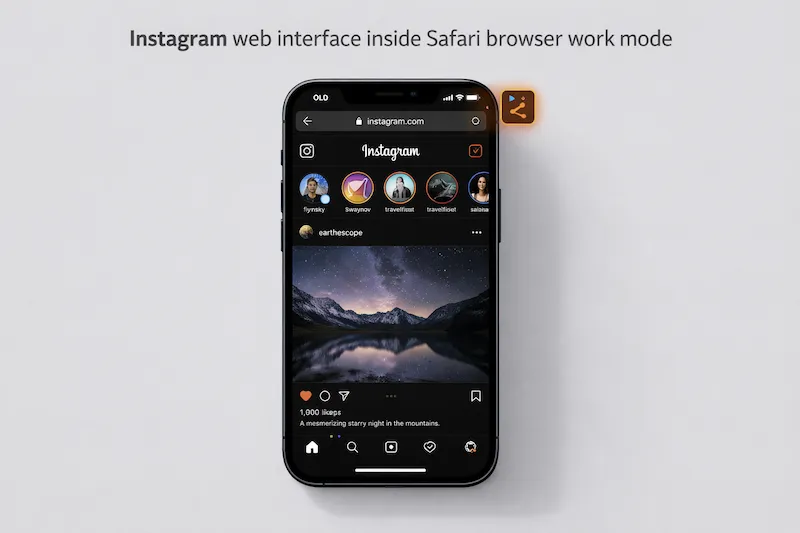
Why is Instagram Web Not Dark on Safari?
You might be wondering why other websites turn dark automatically while Instagram does not. The answer lies in how Meta (Instagram's parent company) coded the mobile website.
The native iOS Instagram app seamlessly syncs with your iPhone's system settings. However, Meta has not implemented the necessary prefers-color-scheme CSS code for its Safari web interface. This means the browser has no built-in instruction to change the white background to black.
| Instagram Platform | Follows iOS System Dark Mode? | Built-in Dark Toggle? |
|---|---|---|
| Native iOS App | Yes | Yes (via System Settings) |
| Desktop Browser (Mac/PC) | Sometimes | Yes (Manual toggle in settings) |
| Safari Mobile Web (iPhone) | No (Stays White) | No |
How to Force Instagram Dark Mode on Safari
Since Meta won't do it for you, you have to take control of your browser. The only effective way to turn the Instagram web version black is by using a dedicated Safari dark mode extension that overrides the site's default code.
Step-by-Step Guide Using Noxri
We recommend using Noxri because it intelligently inverts backgrounds without messing up the colors of the photos and reels on your feed.
- Get the Tool: Download the Noxri extension directly from the App Store.
- Enable It: Open your Safari browser, tap the
AAicon in the URL bar, and select Manage Extensions to turn Noxri on. - Grant Access: Tap "Always Allow" so the extension can modify webpage colors.
- Visit Instagram: Go to
instagram.com. The extension will instantly analyze the page and force a deep OLED dark theme across your feed, stories, and DMs.
"Infinite scrolling on a bright white screen at night significantly increases eye fatigue. Forcing a dark interface on social media sites is crucial for digital eye strain relief."
Does This Work for TikTok and Twitter?
Once you have configured the extension to fix Instagram, the good news is that this solution is universal. It applies the same smart-darkening logic to other social media platforms that lack proper mobile web dark modes.
| Social Media Web Version | Native Safari Dark Mode | Dark Mode via Noxri Extension |
|---|---|---|
| Instagram Web | Fails (White) | Perfect True Black |
| TikTok Web | Inconsistent | Optimized Dark UI |
| Facebook Web | Often fails on mobile | Consistent Dark Theme |
By forcing Instagram into dark mode on Safari, you not only protect your eyes but also save valuable battery life on iPhones with OLED screens, as true black pixels consume zero power.
References
- Apple Developer Documentation. (2024). Modifying Web Pages with Safari Web Extensions.
- American Academy of Ophthalmology. (2025). Screen Use and Digital Eye Strain.